Dev portal
Allowed URL
The domains your Mini App is allowed to connect to. A request to a domain that is not on the list is blocked.
Every network call your Mini App makes — ft.request, WebSocket and so on — must go to a domain on the Allowed List. Add your backend's domains here before you call them.
1. Open Domain Configuration
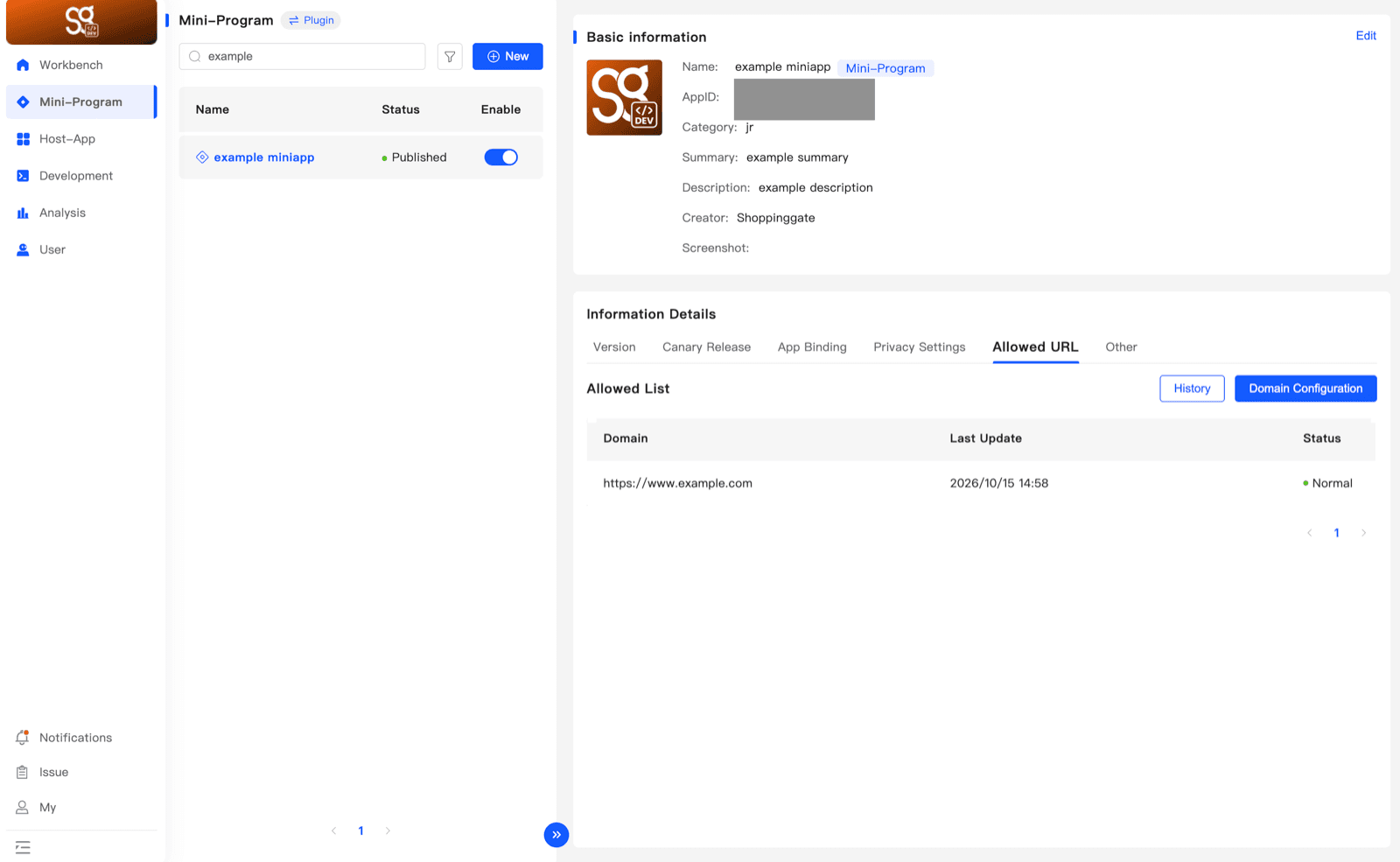
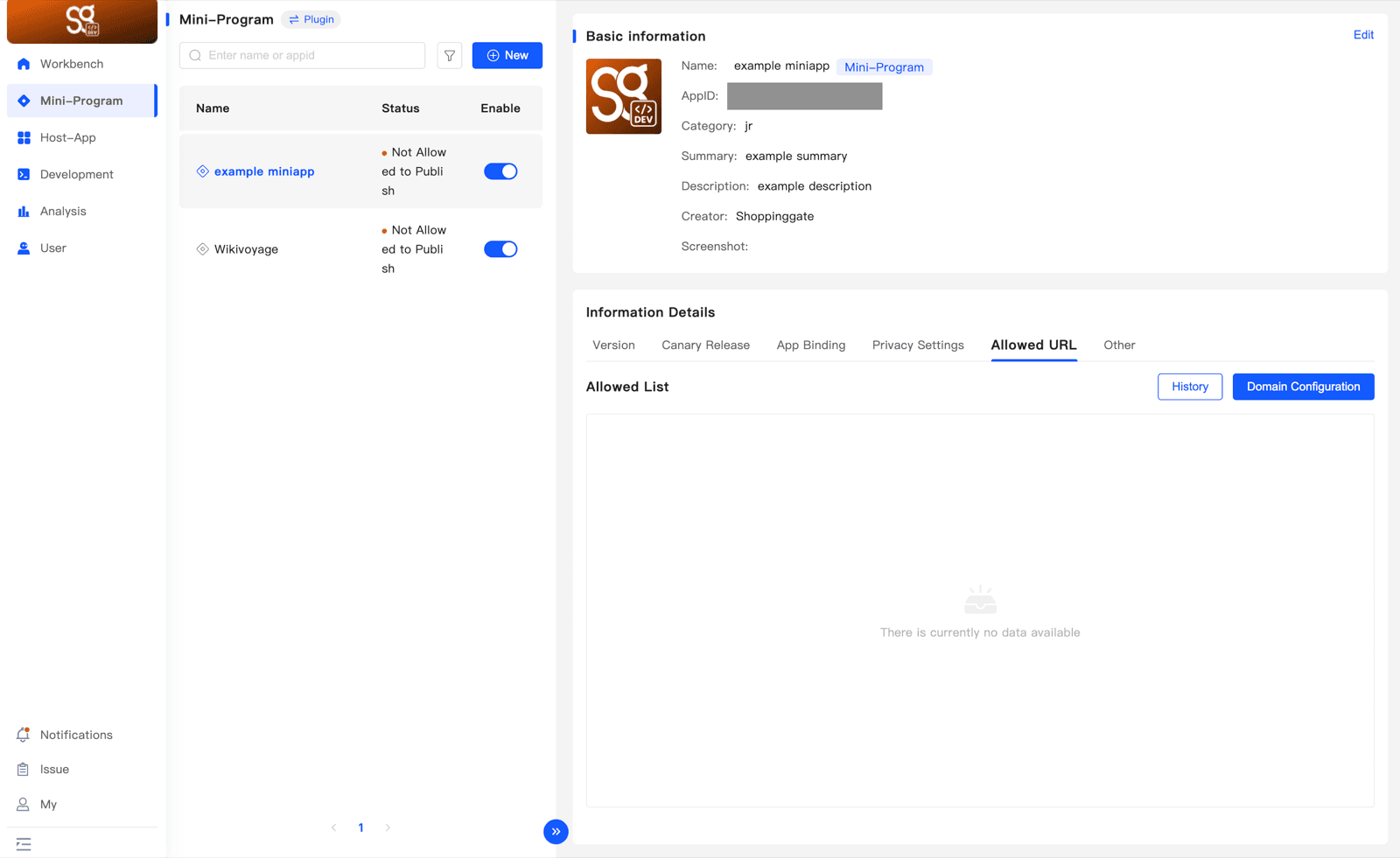
Open Mini-Program, select your Mini App, and click the Allowed URL tab in Information Details. Then click Domain Configuration.
2. Enter your domains
In Domain Names, enter every domain your Mini App connects to, one per line:
- Supported protocols: HTTP/HTTPS, WS/WSS, UDP and TCP.
- Use
*for subdomains — for example*.example.com. - Add a port to allow only that port — for example
example.com:8080.
https://api.example.com
wss://ws.example.com
*.example.com
example.com:8080
Then click Submit an application.
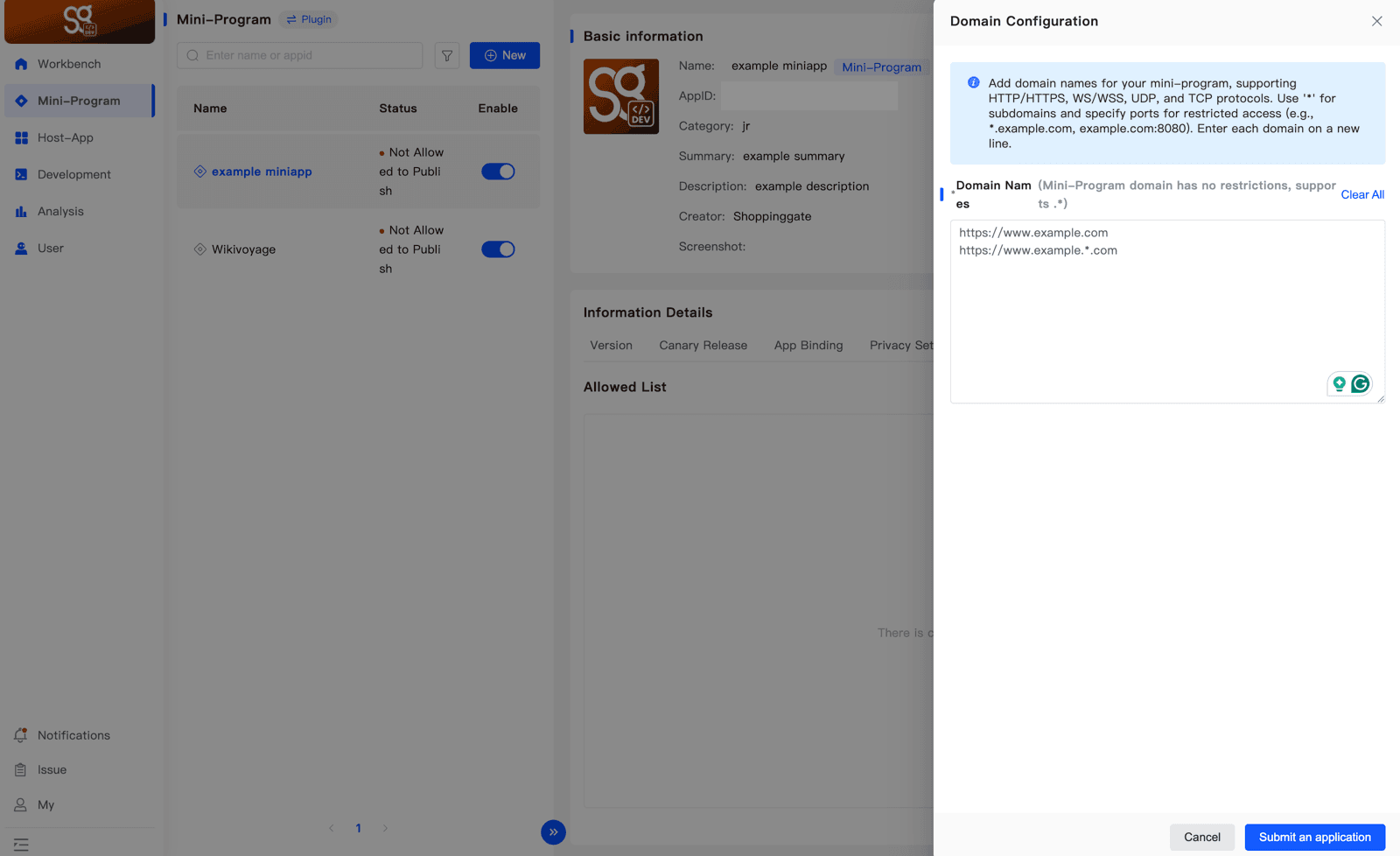
Each submission replaces the whole list. Always enter all the domains your Mini App needs — not only the new ones — or the ones you leave out will be removed.
3. After the review
Your submission is reviewed by the Shoppingate admin. The result shows in the Status column of the Allowed List — including the reason, if it is rejected. Once a domain is Normal, your Mini App can connect to it.