SG Studio
The workspace
Where you write your Mini App's code, compile it, and test it in the simulator.
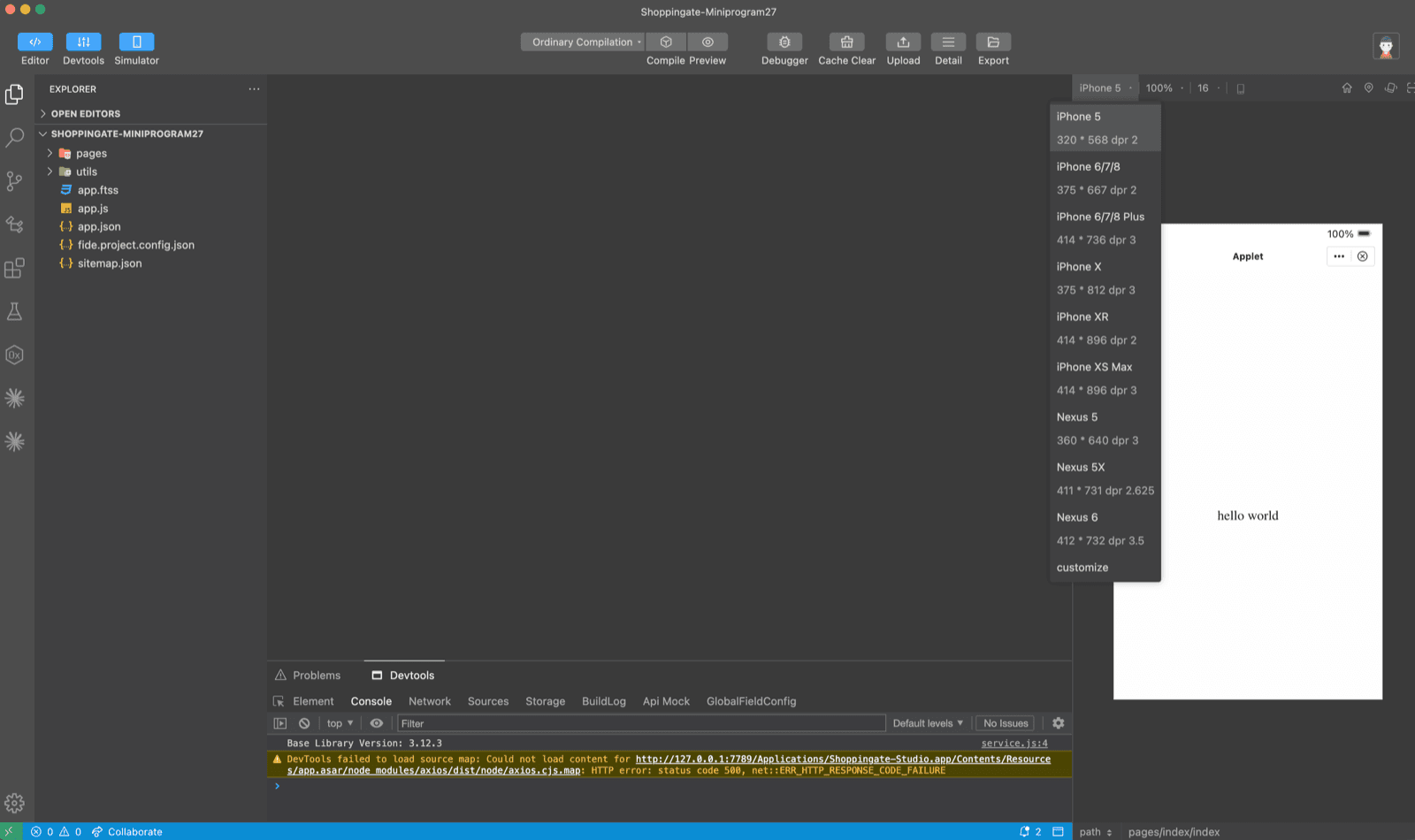
The workspace has your project files on the left, the code editor in the middle, the simulator on the right, and Devtools at the bottom.
Show and hide panels
Use Editor, Devtools and Simulator in the top left corner to show or hide each panel.
The simulator
The simulator runs your Mini App as it will look on a phone. Pick a device from the list above it — for example iPhone 5, iPhone X or Nexus 6 — or choose customize to set your own size.
Compile
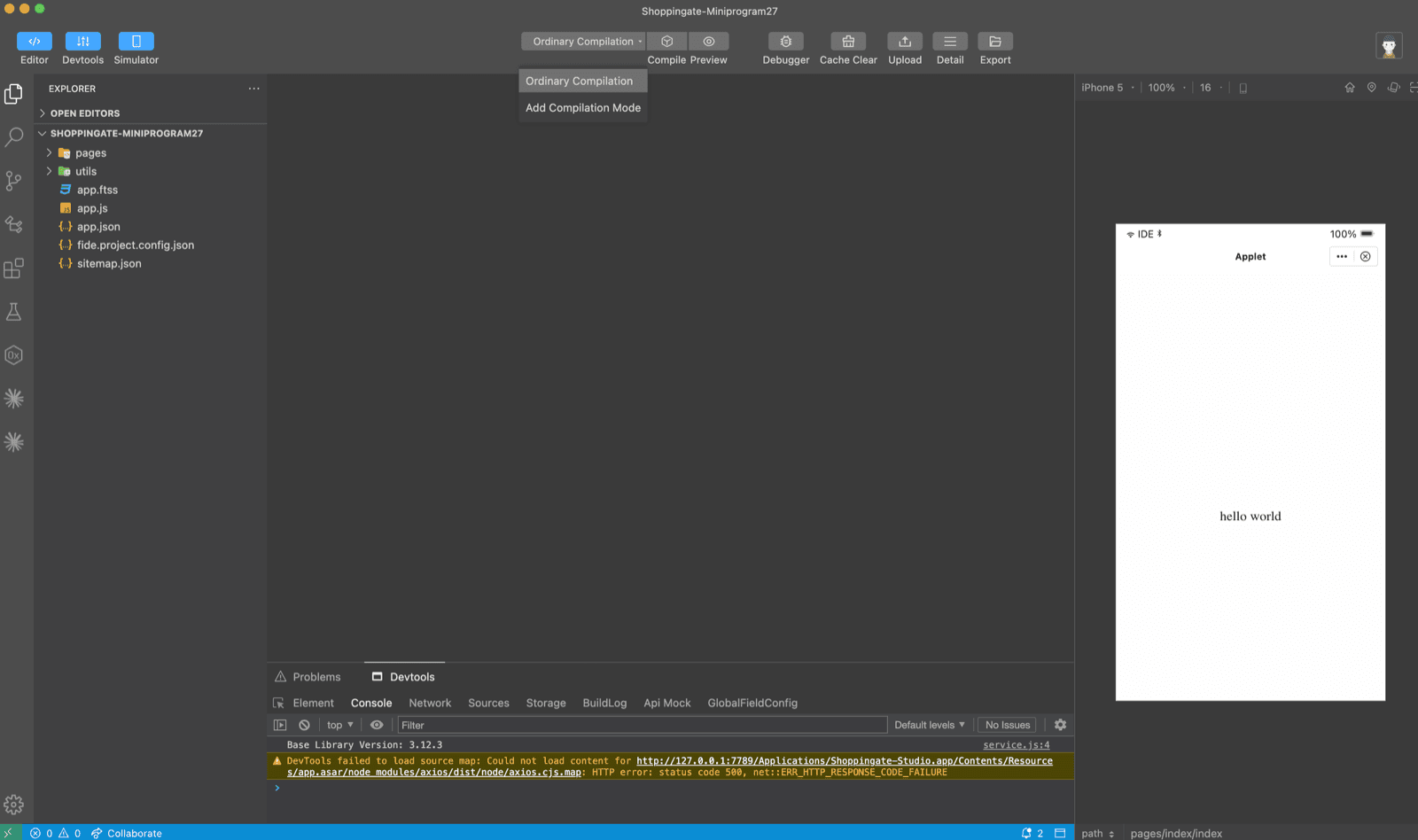
Click Compile to build your code and reload it in the simulator. Ordinary Compilation opens your Mini App on its home page.
Open a specific page
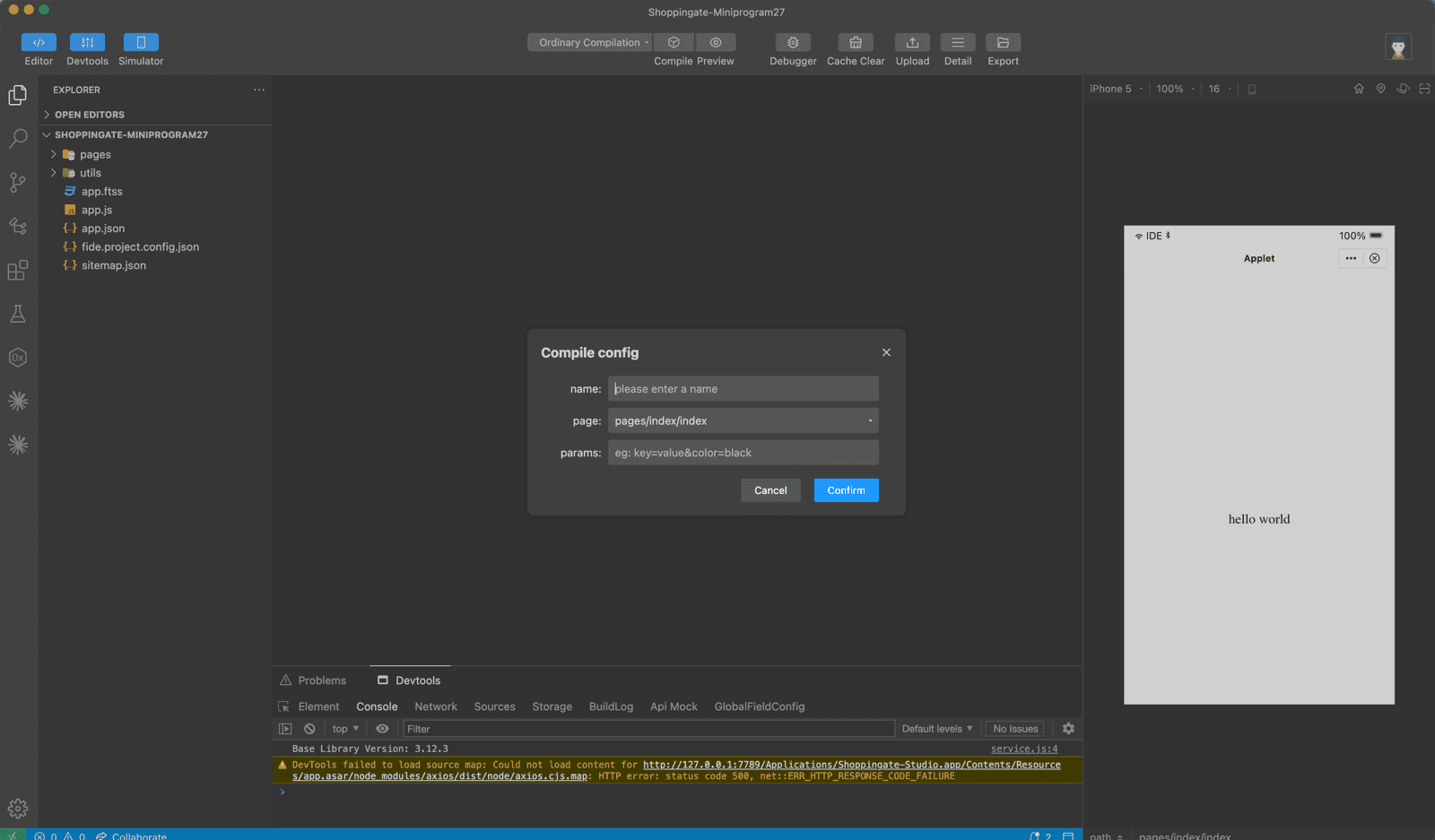
To test a page directly, open the compilation list next to Compile and click Add Compilation Mode.
name
A name for this compilation mode.
page
The page to open, for example
pages/index/index.params
The query parameters the page receives, for example
key=value&color=black.Click Confirm. Your new mode appears in the list, and Compile opens the Mini App on that page with those parameters. How a page reads its parameters is explained in Routing & query.
Devtools
The Devtools panel has these tabs:
- Element
- Console
- Network
- Sources
- Storage
- BuildLog
- Api Mock
- GlobalFieldConfig
You can ignore this console warning: DevTools failed to load source map… It is safe and does not affect your Mini App.