Dev portal
Submit & publish a version
Send a version of your Mini App for review, and publish it to the Shoppingate app once it passes.
Upload your code package from SG Studio first. The Dev portal does not upload code — you pick one of the packages you already uploaded from SG Studio. See SG Studio → Preview & upload.
1. Submit for Review
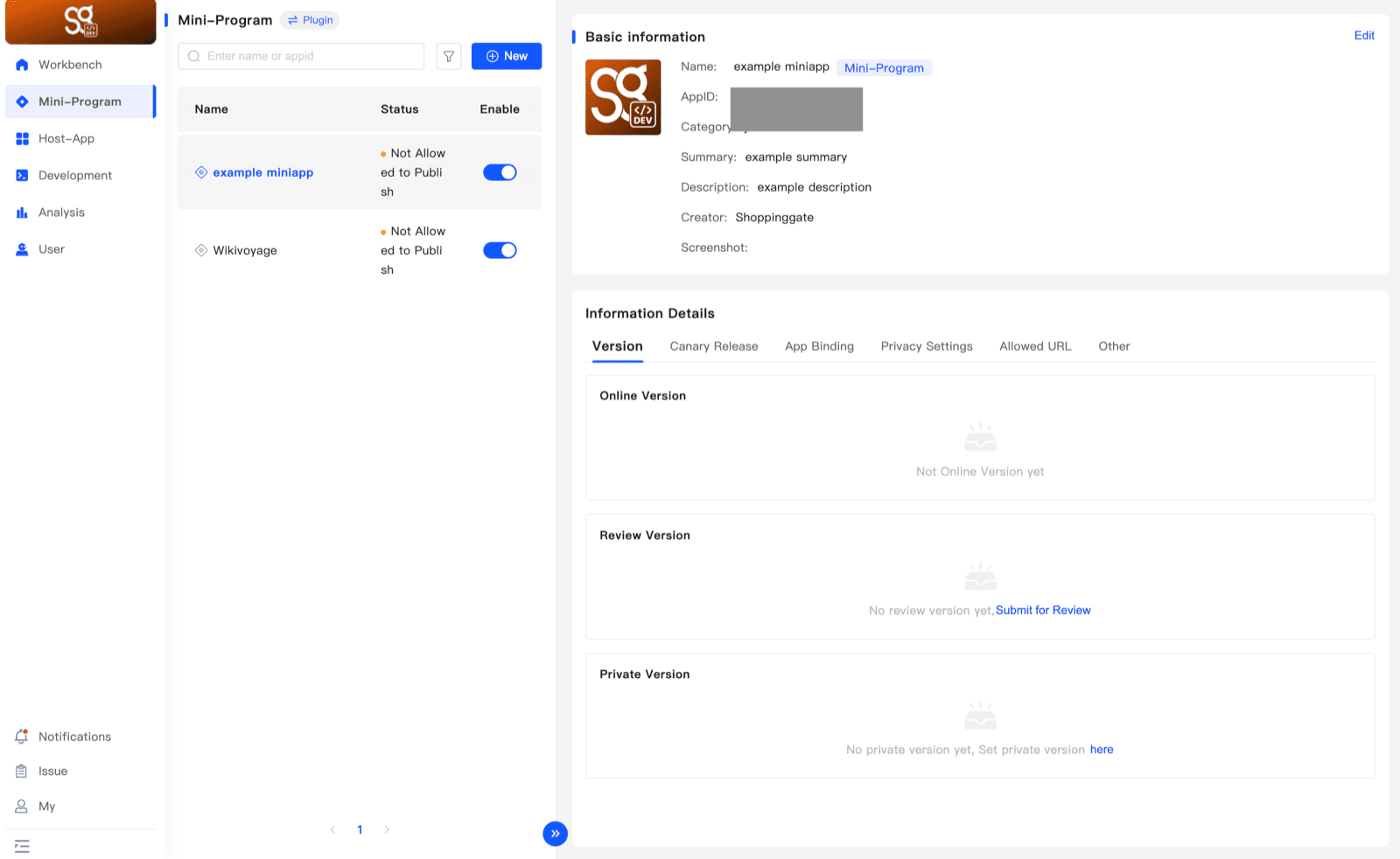
Open Mini-Program and select your Mini App. In Information Details → Version, the Review Version box says No review version yet. Click Submit for Review next to it.
2. Confirm the data policy (first time only)
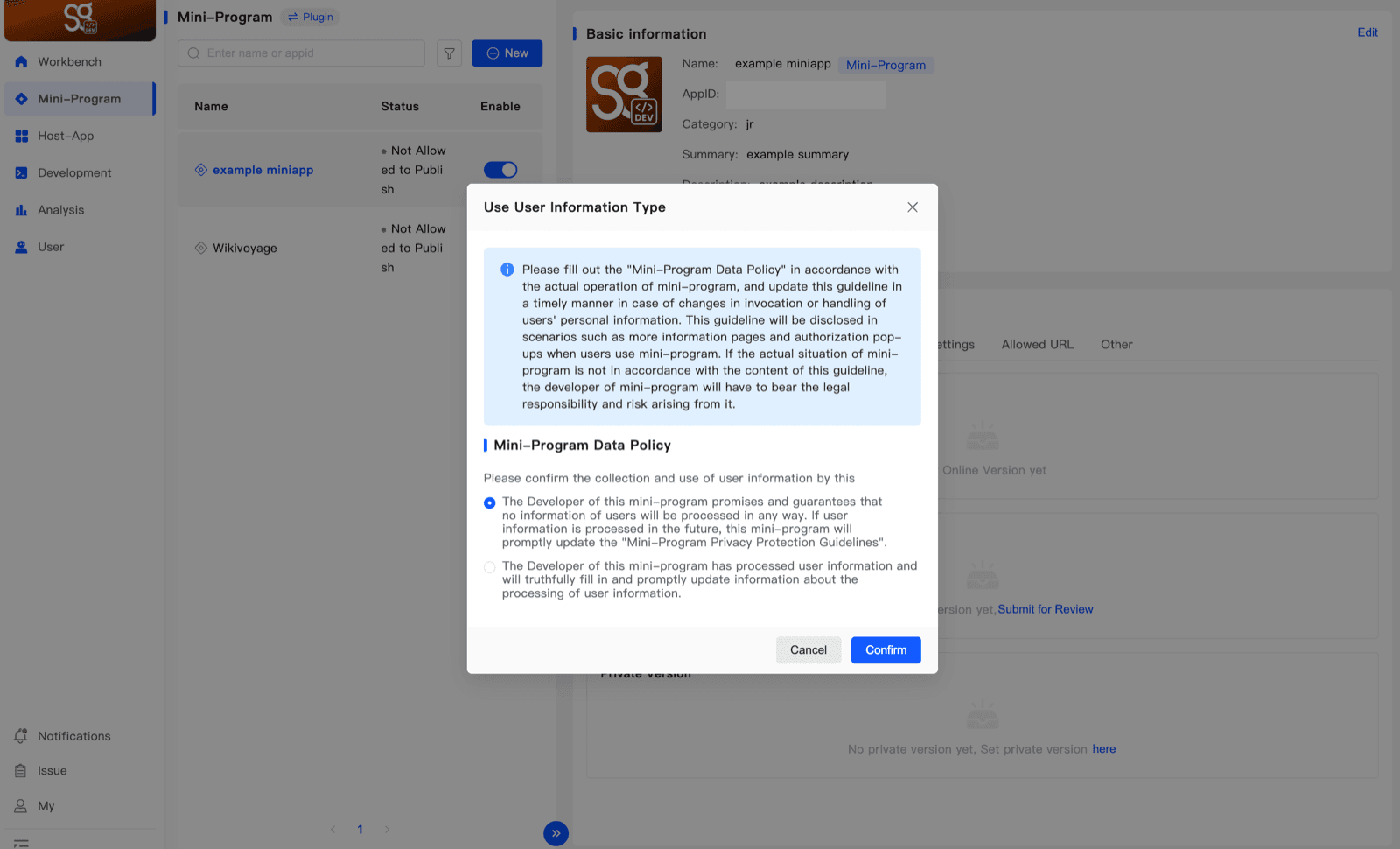
The first time you submit a version, the portal asks how your Mini App uses user information. Choose the option that matches your Mini App:
- No user information is processed — your Mini App does not process any user information.
- User information is processed — your Mini App processes user information, and you will fill in how in Privacy Settings.
Then click Confirm. What you choose is shown to users, so it must match what your Mini App really does.
3. Choose the code package
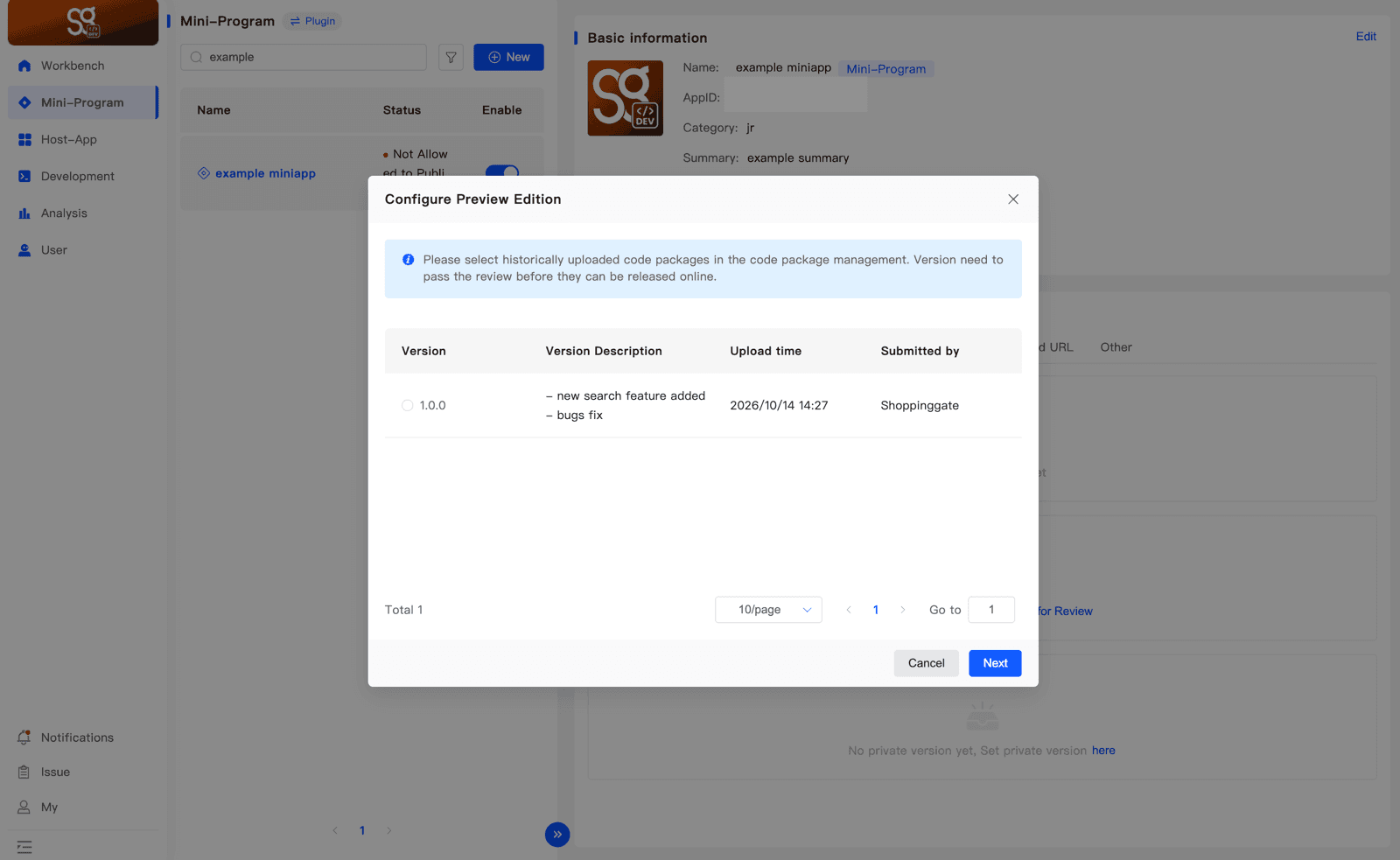
Configure Preview Edition lists the code packages you uploaded. Select the version you want to submit and click Next.
Version
The version number of the package.
Version Description
What changed in this version.
Upload time
When the package was uploaded.
Submitted by
Who uploaded it.
4. Confirm the information
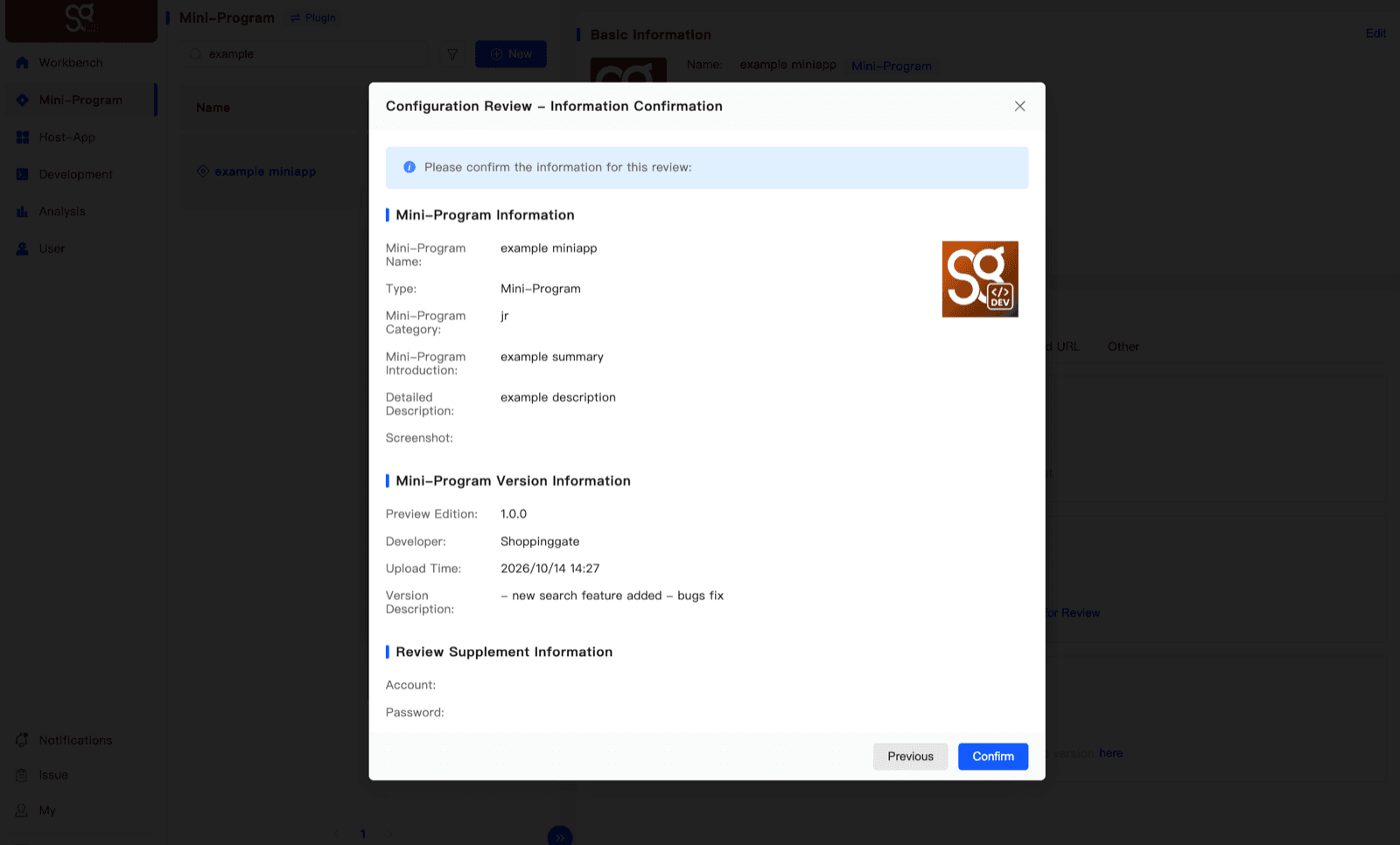
Configuration Review – Information Confirmation shows your Mini App's information and the version you picked. Check it, then click Confirm to submit. Click Previous to pick a different version.
5. The review
The version now shows in Review Version with an Under Review tag. It is reviewed by the Shoppingate admin.
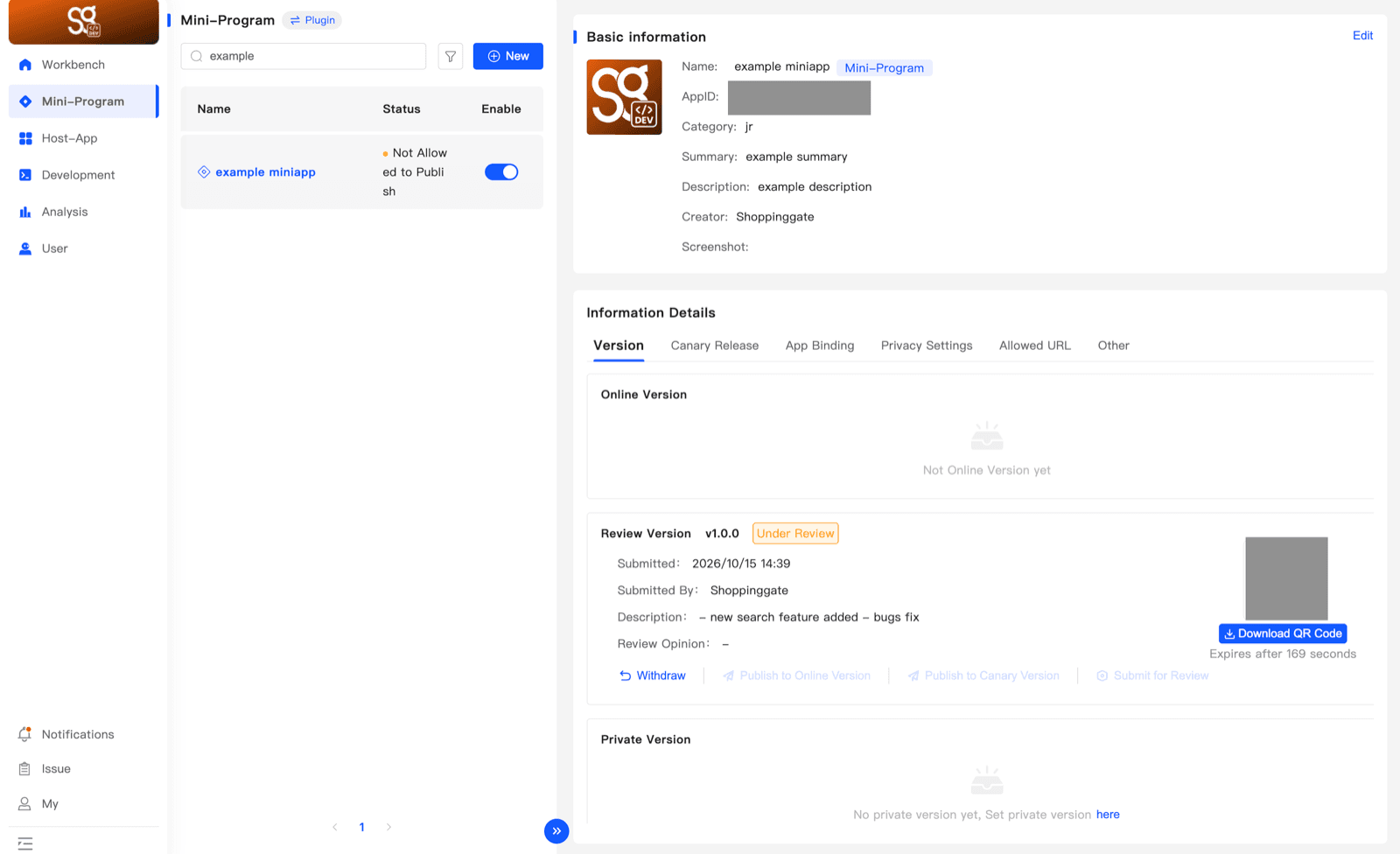
- Review Opinion — if the version is rejected, the admin's reason is shown here.
- Withdraw — cancels the review, so you can change your version and submit again.
6. Publish
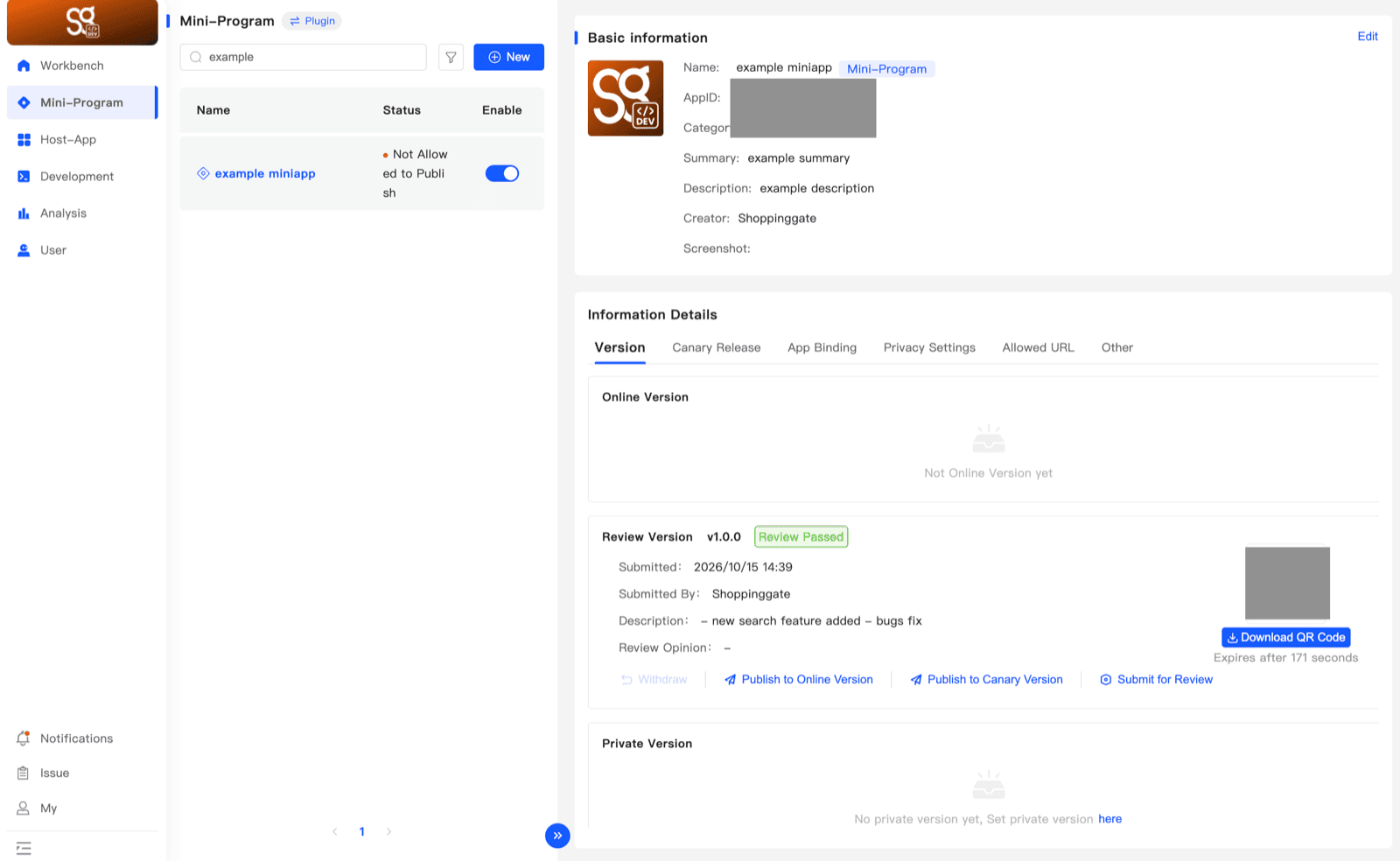
When the admin approves the version, its tag changes to Review Passed. Click Publish to Online Version.
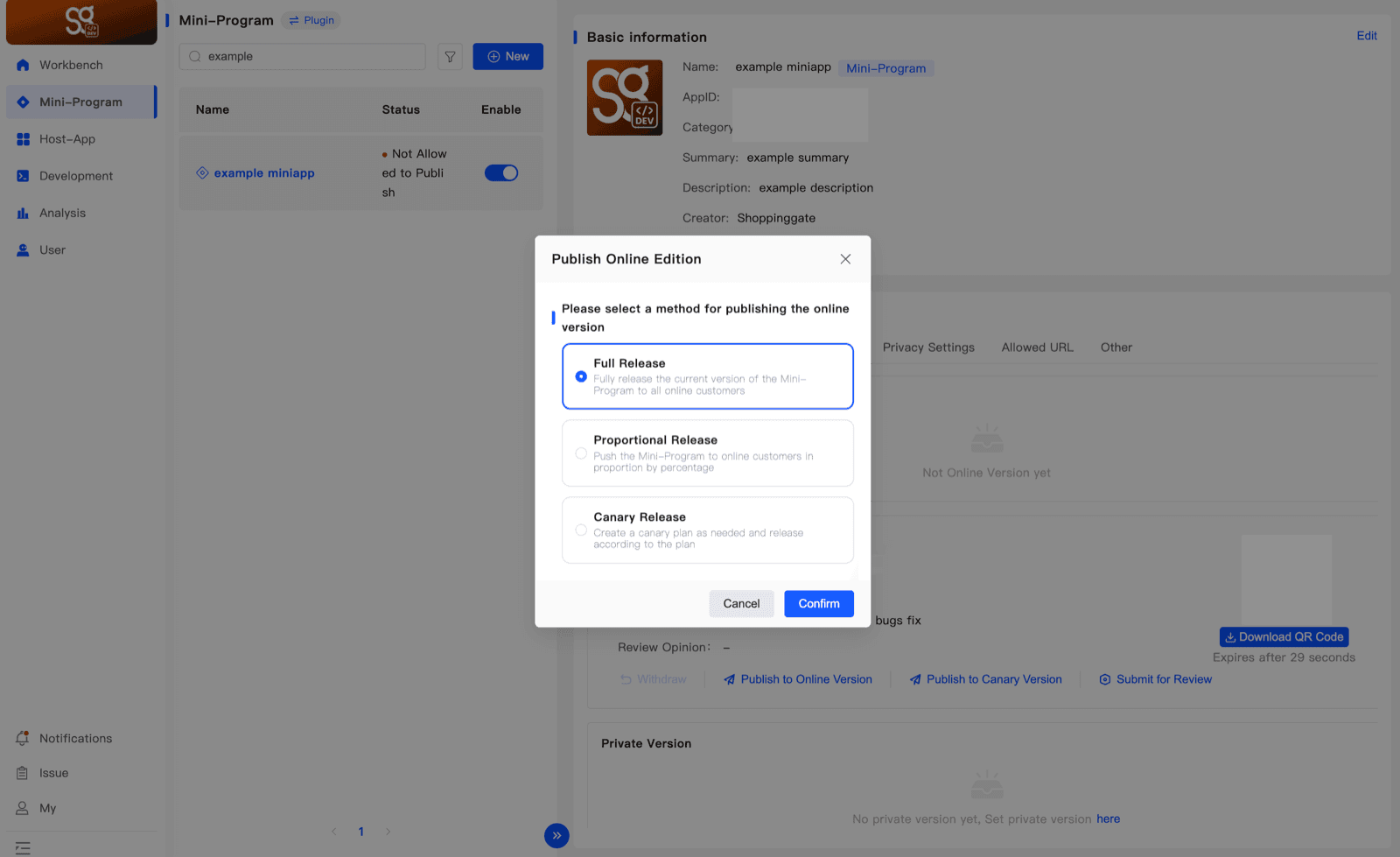
Publish Online Edition asks how to release the version. There are three release methods: Full Release, Proportional Release and Canary Release. Choose one and click Confirm.
7. Your version is live
The Mini App's status changes to Published, and the version moves to Online Version. It is now live in the Shoppingate app.
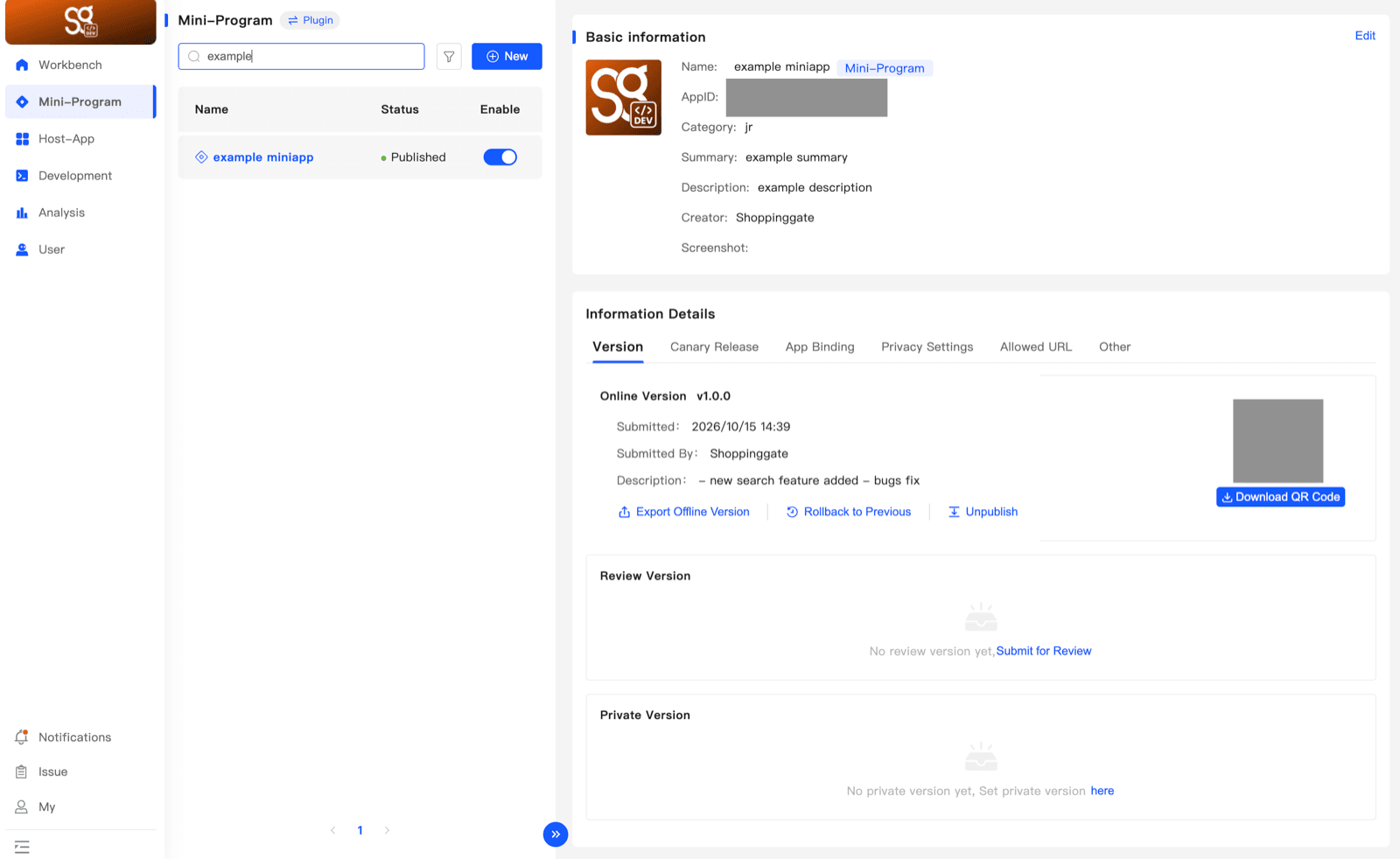
From the Online Version box you can:
Export Offline Version
Download the package of the online version.
Rollback to Previous
Go back to the previous online version.
Unpublish
Take the Mini App offline. Its status changes to Unpublished.